

The effectiveness of an AI-based solution depends on how well you have prepared your existing systems for the implementation of AI. Initially, your team will face a choice: where exactly do you want to see improvements from the use of AI, and what form should these take? Next, readiness for AI implementation boils down to four components: trusted data, reliable connections, security policies, and operational controls. These four levels determine which AI investments will be rolled out into production and will help achieve business outcomes.
Answer each question with Yes, Partly, or Not yet, and run the checklist once per use case. Since a support assistant and an inventory agent need different data, different access, so they do need different approvals.
Forbytes has prepared an AI readiness checklist for you. Our team has transformed these four levels into 25 key questions for any AI project you plan to implement in 2027. The same five blocks apply to every form of artificial intelligence you add, whether a generative AI assistant for customer support, an agent that updates bookings, or workflow automation in your warehouse:
- Your AI use case and business questions
- Data readiness and data quality
- Integration and access layer
- Security, access control, and governance
- Operational controls
Answer each question with Yes, Partly, or Not yet, and run the checklist once per use case. Since a support assistant and an inventory agent need different data, different access, so they do need different approvals.
For the process to move faster, bring IT, data, and business owners into the review, because preparedness for AI spans teams across the organization. Each “Not yet” shows where to start, and the table at the end turns your answers into a next step.
Block 1. Your AI Use Case and Business Questions
At Forbytes, we start AI readiness work with a pilot. Once your team has a clear vision of how artificial intelligence should fit into your daily workflow, we put the AI to work with real data within a limited scope. In turn, your team assesses its accuracy based on your own business objectives.
Why start with a pilot project? It allows you to test the potential of AI on your data before you allocate a budget for a larger-scale implementation. A use case linked to clear business objectives provides your AI strategy with a measurable starting point and defines whether you want to scale AI further.
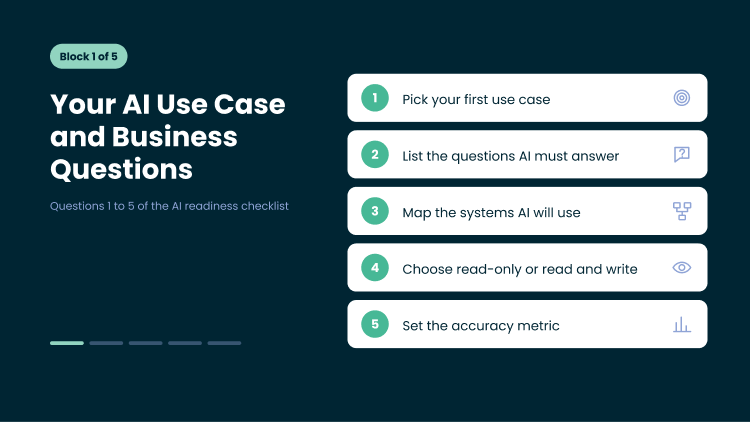
1. Which AI use case are you preparing for first?
AI readiness depends on the specific use case. To achieve the most realistic results during a pilot project, pick a workflow where your team loses time today: manual lookups across several systems, approvals that hold up orders, or decisions that wait on missing data.
Then identify a single team and a single outcome — for example, order status updates for customer service staff or stock replenishment recommendations for category managers.
The more clearly defined your use case is, the clearer your understanding will be of the volume of data, access rights and controls, as well as the measurable outcome.
A ready answer: one named use case with a business owner and a target workflow.
2. Which business questions must AI answer correctly for this use case?
Write down the questions people will ask. “Where is the order 48213?” “Which SKUs fall below safety stock this week?” “Which properties have open maintenance tickets?”. We take this exact list and make it a test dataset. It also shows which data fields AI needs and which answers carry business risk.
A ready answer: a written list of real questions, each with a known correct answer.
3. Which systems does AI need to read from or act in?
At this stage, you need to think of every system you plan to integrate AI with: ERP, CRM, eCommerce platform, WMS, property management system, helpdesk, and map them all. Note who owns each one and how your team accesses it today.
A ready answer: a system map with an owner for each system.
4. Will AI only read data, or will it also change records?
Reading and writing carry different levels of risk. An assistant that reports stock levels needs read access. But if your business needs an automation feature that issues refunds, changes bookings, or adjusts inventory, an AI will need write access, approval rules, and a rollback plan.
We suggest you use AI for read-only answers first and add write actions once the pilot confirms accuracy.
A ready answer: a list of read actions and write actions for the use case.
5. How will you measure answer accuracy before a wider rollout?
The best approach here is to define a performance metric before deploying the system. Your development team can then run the AI on a test dataset and track three metrics: correct answers, answers requiring human verification, and queries that the AI should reject.
At this stage, you need to specify an accuracy threshold that will allow the system to reach production. This threshold determines the AI’s success for this particular use case, and the decision to scale is based on actual data.
A ready answer: an agreed accuracy metric, a threshold, and a person who signs off.
Block 2. Data Readiness and Data Quality
Answers of your AI will be as reliable as the data it reads. Trusted data means one customer, one order, and one stock figure carry the same meaning in every system. Strong data foundations come first in any AI implementation, and these five questions test data readiness for your use case.
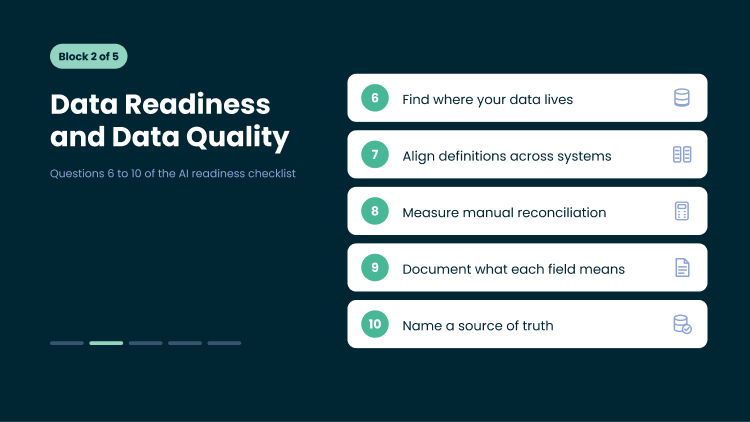
6. Where does the data for this use case live today?
If you have an internal development team, ask them to list every source of AI data for this use case: core systems, spreadsheets, shared drives, legacy databases, third-party portals.
For each source, they note the format and how often it updates. Data in an unsupported legacy system often needs data migration or an integration before AI can use it. If you do not have in-house engineers, Forbytes can run this source audit for you as part of an AI readiness assessment.
A ready answer: a source list with format, update frequency, and owner.
7. Do your ERP, CRM, and other systems use the same definitions for customer, order, and stock?
Your ERP may record an order at payment, your eCommerce platform at checkout, and your CRM at quote acceptance. Customer data splits the same way across CRM, eCommerce, and loyalty systems. And here is the thing: each figure is correct inside its own system. AI combines them and returns three different answers to one question. To remove this conflict, we need to agree on shared definitions.
Business leaders establish a single business definition for each key entity. For example: ‘An order is considered placed once payment has been confirmed’ or ‘An active customer has made a purchase within the last 12 months’. The data integration system then maps the fields in each system to the agreed-upon value, while validation rules flag records that breach these rules. Artificial intelligence uses a single version of the truth, and your reports reflect its results.
A ready answer: documented definitions for core entities, agreed by business owners.
8. How many hours does your team spend cleaning and reconciling records by hand?
Manual reconciliation measures your data quality gaps in hours. If analysts match records between systems every week, AI will meet the same mismatches at higher speed and without the analyst’s judgment. Track these hours. They show where automated pipelines and validation rules pay back first.
A ready answer: a known number of hours, and a plan to automate the largest share.
Turn Reconciliation Hours Into Reliable AI Data
Forbytes builds automated pipelines, field mapping, and validation rules on top of your current systems, so your team spends its time on decisions.

9. Do your tables and fields carry a documented business meaning?
A column named status_cd or qty_2 gives AI no context. Document the business meaning, allowed values, and owner of each table and field the use case touches. This metadata, kept in a data catalog or semantic layer, helps AI tools pick the right field for each question.
A ready answer: documented meaning for every field in scope.
10. Which system is the source of truth for each data domain?
The next step is to identify a single authoritative data source for each area: product data in the PIM system, stock levels in the WMS, and customer data in the CRM. It is also necessary to determine which system takes precedence in the event of discrepancies between them. Artificial intelligence requires this rule to provide a single answer, and it is this rule that ensures your data-driven reports are consistent with the AI’s responses.
In Forbytes’ experience, shared definitions start with the business. In the case of NoWaste, the finance and operations teams agreed on how each business process, entity and status works. Forbytes’ engineers then consolidated data from the client’s WMS, ERP and HR systems into a single model built on the basis of these definitions. NoWaste now invoices for its services with 100% accuracy and has reduced the number of billing disputes by 30%.
A ready answer: a named source of truth for each domain and a conflict rule.
Block 3. Integration and Access Layer for AI Systems
AI systems reach your data through connections. A controlled access layer defines what each connection may read and do, and lets assistants, agents, and new AI technologies share the same rules.
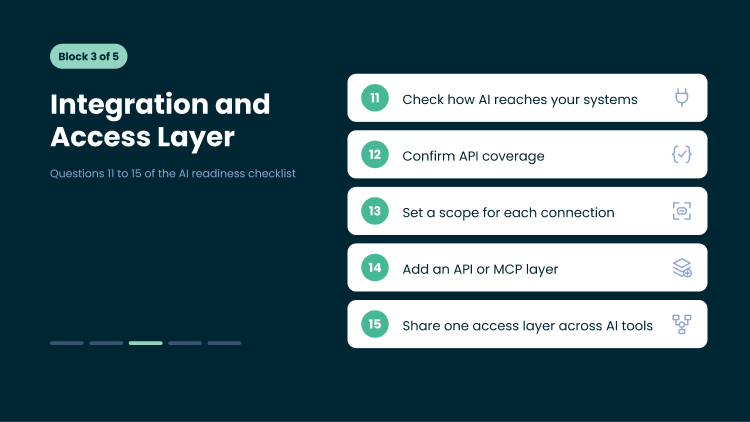
11. How does AI reach your core systems today?
You can check the current access path: exporting files, copying and pasting into a chat window, direct connections to a database, or via an API. Every new artificial intelligence tool connected on a temporary basis adds yet another access path that needs to be secured and monitored. A clearly defined access level ensures that each tool has a single, controlled access path.
A ready answer: a documented connection method for each system in scope.
12. Do your systems expose APIs for the actions this use case needs?
List the actions such as look up an order, update a booking, or create a return. Then check which ones your systems support through an API today. API coverage decides which AI features your teams can ship and which AI capabilities wait for integration work. API integration adds the missing connections on top of the systems you already run.
A ready answer: API coverage confirmed for every action in scope.
13. What may each AI connection do, and where does its scope end?
Define the scope of the AI connection in four areas: what data it retrieves, what actions it performs, which records it has access to, and the volume of queries it processes. For example, a customer support assistant retrieves order statuses and delivery dates for a customer during a conversation and creates return requests within a set limit. Payment details and prices remain outside its scope.
Grant each connection the minimum access required for a specific use case. Business owners decide what is required for a specific use case, and your IT or security team translates these decisions into API permissions, service accounts, and rate limits at the access level. Documented boundaries become part of your AI governance and the basis for audits: your team checks every recorded AI action against these boundaries.
A ready answer: a written scope for each AI connection.
14. Can you add an API or Model Context Protocol (MCP) layer on top of your current systems?
The MCP provides AI-powered assistants and agents with a standardized way of accessing your tools and data. The MCP server describes the actions offered by each system, such as ‘view order’, ‘check stock availability’, or ‘process a return’. Any AI-powered tool that supports MCP can then use these actions within the limits you set. Your team configures each connection once and reuses it for different assistants and agents.
The MCP layer operates on top of the APIs. If a system already provides the APIs required for your use case, the MCP layer integrates them. If they are missing, the APIs take precedence. Forbytes adds API and MCP layers on top of the systems you use today, so your ERP, CRM, and eCommerce platforms remain in place. This incremental modernization approach integrates modern AI into your existing stack without the need for a complete code rewrite. It works with any cloud or on-premises infrastructure, as well as with any AI platform or AI model.
A ready answer: a confirmed path to an API or MCP layer for each system in scope.
Your Systems Can Stay. Your Data Can Still be AI-Ready.
Forbytes adds data, API, and MCP layers on top of what you run today through incremental modernization.
15. Which assistants and agents will share this access layer?
As AI becomes more widespread, support, marketing, and operations departments are implementing their own AI tools, including advanced AI agents that operate across multiple systems simultaneously. A shared access level provides all these tools with a single, controlled channel of access to your systems. This includes:
- Connectors: connections via API and MCP to your ERP system, CRM, eCommerce platform, and other core systems
- Identification and authorization: each request is executed on behalf of the user who submitted it
- Scope and restrictions: the data, actions, and volumes that each tool is permitted to use
- Masking and approval: this layer hides sensitive fields and routes actions with significant impact to a responsible person for approval
- Logging: recording of every request and action for monitoring and auditing
Every new assistant is connected to this layer and utilizes the rules you have already set up, which helps to scale AI initiatives at a consistent cost.
A ready answer: a list of current and planned AI tools that will use the layer.
Block 4. Security, Access Control, and AI Governance
Security rules decide who AI acts for and what it may see. They extend your cybersecurity controls to every assistant and agent. The strongest setup keeps these rules in your systems, where they already apply to your people.
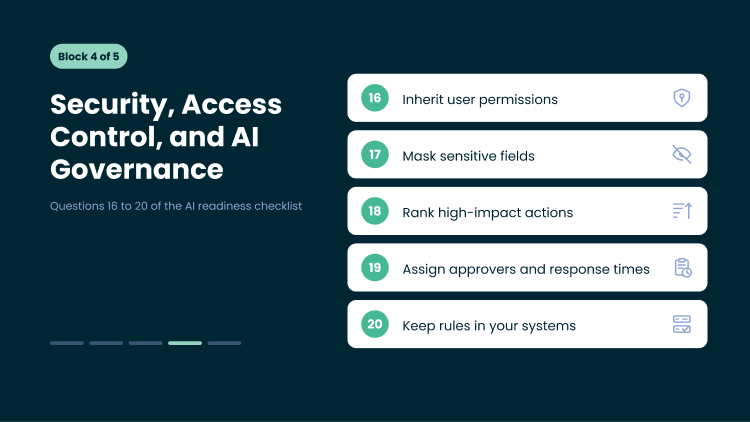
16. Does AI inherit the permissions of the user who makes the request?
When a regional manager asks AI about sales, AI should return data for that manager’s stores only. Permission inheritance lets AI act on behalf of the user with the same role-based access. A shared service account with broad access gives every user a view of everything.
Forbytes applied the same principle when upgrading the Owners Portal for Guesty, a property management platform. Owners log in to see their listings, earnings, reservations, and analytics. Many properties have several co-owners, so Forbytes built fractional ownership: property managers assign ownership percentages, and the portal calculates each owner’s share of revenue automatically.
The team mapped how owners, listings, and reservations relate and defined what information each user should see. As a result, the upgrade delivered a 50% improvement in data visibility and full support for IRS Form 1099 reporting. An AI assistant connected through each owner’s own permissions would follow the same rules and answer questions about that owner’s properties and revenue share.
A ready answer: AI requests run under the requesting user’s permissions.
17. Which fields need masking before AI reads them?
Mark sensitive fields in scope: payment details, guest passport numbers, personal contact data, employee records, supplier pricing. Decide per field and per role whether AI sees the value, a masked version, or nothing. Align each rule with your privacy policy and data processing agreements.
A ready answer: a masking rule for every sensitive field in scope.
18. Which actions count as high-impact for your business?
Assess AI actions on two scales: business impact and reversibility. Business impact covers the financial resources, customers, and partners affected by a particular action. Reversibility indicates how easily your team can reverse that action. An action with a high impact score and a low reversibility score is considered a high-impact action.
High-impact actions vary by industry:
- Retail and eCommerce: refunds exceeding a set amount, price changes, discount codes, bulk catalog updates
- Tourism and hospitality: booking cancellations, rate changes, payments to property owners
- Logistics and supply chain: orders placed with suppliers, changes to delivery routes, stock write-offs
Classify each action into one of three levels.
- Low-impact actions, such as tagging a ticket or drafting a reply, are carried out automatically.
- Medium-impact actions are carried out and accompanied by a notification to the person responsible.
- High-impact actions await approval.
Business owners set the levels and thresholds, and your team reviews them as the AI takes on an increasing share of the workflow. This list forms the basis of your AI risk management.
A ready answer: an agreed list of high-impact actions with thresholds.
19. Who approves high-impact actions, and how fast?
Name the approver for each high-impact action by role, with a backup for absences. Tie each approver to a threshold: a support lead approves refunds up to a set amount, and a finance manager approves anything above it.
Route approvals through a channel your approvers already use. It can be a team chat, email, or the core system itself. Each request shows what AI proposes, the data behind it, the customer or partner affected, and the business impact. With that context in one place, the approver decides in a single step, and the decision goes into the audit log.
A ready answer: a named approver, channel, and response time for each high-impact action.
20. Where do these rules live: in your systems or in the AI tool?
Rules inside one AI tool cover that tool only. Rules in your systems cover every assistant, agent, and person, so the same setup can support AI tools you add later. Forbytes recommends that your systems enforce permissions, masking, and approvals. These technical controls support your compliance work and stay in place when you switch AI platform or model.
A ready answer: permissions, masking, and approvals enforced in your systems.
Block 5. Operational Controls to Deploy and Scale AI
Operational controls keep AI accountable after launch. Operational readiness lets your team trace, monitor, roll back, and re-test AI actions as your business changes.
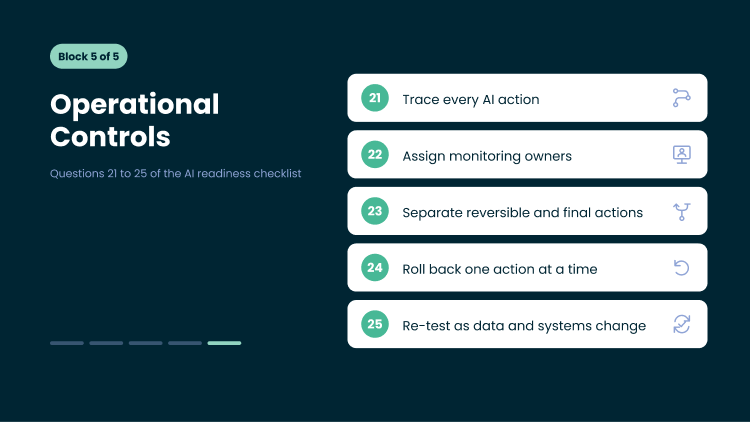
21. Can you trace every AI action to the request and the user behind it?
An audit trail records who asked, what data AI read, what action it took, the output it returned, and when. Your team uses this record to investigate errors, answer customer disputes, and support internal and external audits.
A ready answer: a log that links every AI action to a request and a user.
22. Who monitors AI activity once it runs in production?
Assign organizational ownership before AI deployment. Name the team that watches AI use in production: error rates, declined requests, unusual volumes, and cost. Define the escalation path when a metric moves outside its range.
A ready answer: a named team, a set of monitored metrics, and an escalation path.
23. Which AI changes can you roll back, and which ones need approval because they can’t be undone?
Before deploying AI to a live workflow, classify each action. A draft reply or an internal tag update can be rolled back. A sent message, a payment, or an order placed with a supplier stays final. Route every final action through approval before AI executes it.
A ready answer: each action marked as reversible or approval-required.
24. Can you reverse one AI action without undoing unrelated system activity?
Granular rollback requires each AI change logged as a separate transaction with its previous state. With that log, your team reverts one wrong price update and keeps the hundreds of correct orders processed in the same hour.
A ready answer: single-action rollback tested on a real workflow.
25. Who re-tests results as your data and systems change?
AI output shifts when products, prices, policies, or data structures change. Model updates from your AI provider shift it too. Make re-testing part of change management: name an owner who reruns the test dataset from question 2 on a fixed schedule and after every system change.
A ready answer: a re-test owner, a schedule, and a trigger list.
How to Read Your AI Readiness Checklist Results
Your answers show how AI-ready your setup is for this use case: which layers support it today and which ones need work first. Repeated for each new use case, the checklist also tracks your AI maturity over time and becomes part of your internal best practices. Each “Not yet” shows where to start.
| Your answers | What it means | Next step |
| Mostly “Yes” across all blocks | Your setup supports this use case | Run a working pilot on real data |
| “Not yet” in one or two blocks | Specific layers need work | Strengthen those layers first, then pilot |
| “Not yet” in three or more blocks | The use case needs groundwork across the setup | Start with a fixed-price assessment |
Your Answers Show Where to Start. Forbytes Shows How.
Share your checklist results, and we propose the first step for your use case.

How Forbytes Can Help You
Match your gaps to the service that closes them. Each service prepares your systems for AI solutions and builds on what you already run.
| If your checklist shows… | Forbytes service | What it covers |
| Gaps across data, access, security, and controls (Blocks 2–5) | AI Readiness | Trusted data layer, APIs and MCP access layer, security rules, operational controls, scoped per use case |
| Data scattered across systems, reports that don’t match (Q6, Q10) | Data Warehouse Services | Centralized data, consistent data models, one source of truth across teams |
| Teams reconciling records between systems by hand (Q7, Q8) | Data Integration Services | Automated pipelines, field mapping, transformation and validation rules, data quality monitoring |
| Data still sitting in a legacy or unsupported system (Q6) | Data Migration Services | Data audit and mapping, validated migration, a rollback point at every stage |
| Core systems without APIs for the actions AI needs (Q11, Q12) | API Integration Services | API connections between CRM, ERP, eCommerce, and other systems, built on top of what you run today |

Home Furnishing Nordic (HFN), a large home furnishing retailer, wanted to extend its custom systems with third-party services and keep them in place. Forbytes connected three types of systems to HFN’s admin platform: the custom WMS in each of its three main warehouses, the Svea payment solution, and the Microsoft Dynamics NAV ERP.
Our team mapped data formats across systems, consolidated product, order, stock, and payment data into a format the ERP reads, and added role-based access so each store sees only its own orders.
Forbytes also automated vendor stock imports through APIs and file feeds with configurable field mapping. As a result, HFN syncs 100% of its financial data daily and gets 100% real-time stock updates across systems. That gives any AI use case one consistent view of orders, stock, and payments.
After Readiness: Building the AI Solution
Once your checklist shows mostly “Yes,” your use case is ready for AI, and AI integration services take it into production. Building AI on this foundation covers four steps: Forbytes builds the AI solution, integrates it into your systems and workflows, tests outputs against real business data, and deploys it with monitoring in place.
Your Next Step
Before you implement AI at scale, pick one use case and answer the 25 questions with your data, IT, and business owners in the same room. A prepared setup lets you adopt AI one use case at a time and measure the business value of each one. If three or more blocks come back “Not yet,” a fixed-price assessment from Forbytes maps the gaps and the order to close them.
FAQ
How does an AI readiness assessment differ from this checklist?
An AI readiness assessment goes deeper than a self-check. The AI readiness checklist helps your team spot gaps on its own. In an assessment, Forbytes engineers review your systems, data models, access paths, and controls for one use case, then deliver a prioritized plan at a fixed price.
What makes data AI-ready?
AI-ready data carries shared definitions across systems, a named source of truth per domain, documented meaning for every field, and validation rules that keep it accurate as it changes.
Clean data is the starting point. Data governance keeps it trusted over time through owners, access rules, and quality checks. Metadata standards help AI tools find the right field for each question.
Which framework can guide AI governance and risk?
The NIST AI Risk Management Framework gives a practical structure for governance and risk work. It groups activities into four functions: Govern, Map, Measure, and Manage. Teams use it to identify AI risk, set controls, and document responsible AI practices. Blocks 4 and 5 of this checklist cover technical controls that support the Govern and Manage functions.
How do you measure ROI from an AI project?
Tie each use case to measurable business outcomes before the pilot starts. Typical measures include hours saved on manual reconciliation, resolution time in customer support, billing errors, and cost savings from automated workflows. Compare those gains with the cost of readiness work, the build, and running the solution. Each use case that proves its ROI builds the case for the next one, and that sequence turns AI investments into a competitive advantage.
Share:
-

-
-
Successfully copied
-




Daryna Hanhur
Author
My role is to make Forbytes’ expertise, which spans over a decade, noticeable to others. I believe that good content should make one thing clear: how the team solves real problems. That is why, as a content writer, I focus on highlighting the business value of Forbytes’ projects, the technologies used, and the challenges overcome.







Let's Get in Touch


Forbytes created an app that allowed users to quickly measure themselves to be fitted for custom shirts. As a result, we could increase our speed, quality, and shirt output per week. Forbytes was dedicated to delivering a solution that accurately addressed our needs.

Forbytes’ engineers and team leads worked as part of our RnD group and were directly managed by our company directors. They were both proactive and adaptable, qualities that perfectly match our needs in our fast-growing and constantly evolving environment.

Forbytes has a strong process-oriented way of leading the company, with good respect for themselves and their managers. They made a choice not to become too big but build slowly on more qualified people, which is paying off.

Niklas Hammar
COO & Business
Development at Offerta.se

Our e-commerce site saw online inquiries and orders rise after working with Forbytes. The team used top-notch expertise to inform their suggestions and improvements. Constant communication, quick responses, and prompt delivery made for a smooth and enjoyable collaboration.

The Forbytes team was very professional and demonstrated a great understanding of the business aspects. All tasks were completed above expectations. Their experts were always available, and we never needed to wait for a response or a suggested solution.